
I Built and Tested a WordPress Plugin Without Opening WordPress
How I used a local AI-agent workflow with WordPress Studio, WP-CLI, and a disposable sandbox to build, install, and test a plugin without opening WordPress.
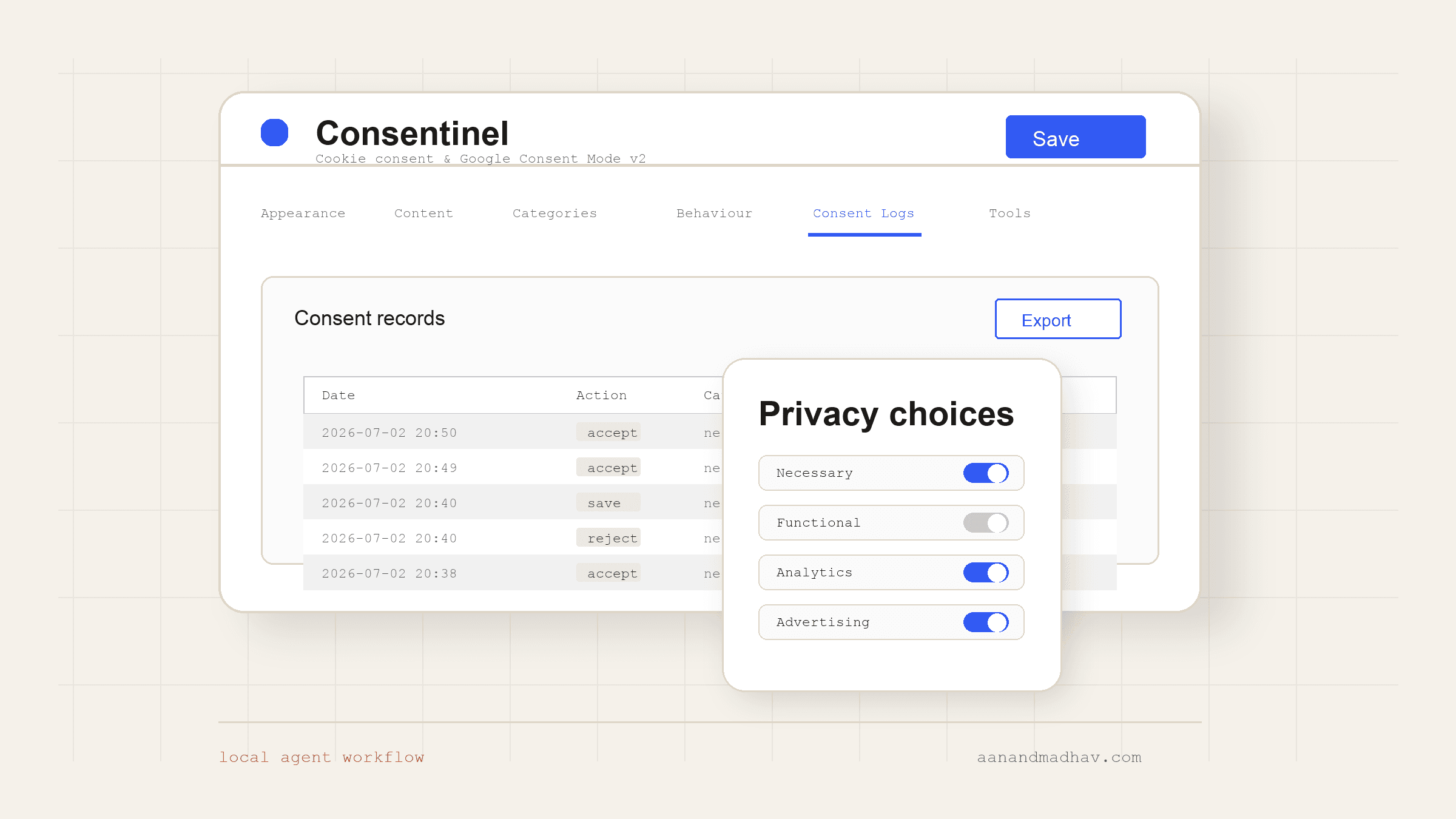
Every WordPress site I inherit comes with a plugin graveyard.
Twenty, thirty, sometimes forty plugins. Half are abandoned. A few are one security advisory away from becoming the weakest part of the site. And a surprising number are charging the client money every month to do something a small piece of code could do better.
I had already written about this pattern in my guide to persisting UTM parameters without a WordPress plugin. The next obvious candidate was the humble cookie consent banner.
So I built Consentinel.
More accurately: my AI agent built most of it on my local machine, tested it against a real WordPress install, found its own bugs, and fixed them. I mostly directed the work and reviewed the evidence.
A Paid Banner Is Still Software You Cannot Fix
A client was paying monthly for a hosted cookie consent tool across multiple sites. The tool itself was not bad. The problem was the operating model: another subscription, another external dependency, and another workflow I could not fully inspect or fix.
If your traffic grows, plan limits start to matter. If your setup needs geo-targeting, scheduled scans, or advanced policy controls, plan boundaries start to matter. If a banner bug blocks clicks or a tag fires in the wrong order, you are still waiting on someone else's product queue.
For many sites, a hosted CMP is the right trade-off. For this advertiser use case, I wanted something narrower: a self-hosted WordPress plugin that could show a banner, store choices, load GA4/GTM/Meta tags in a consent-aware order, support Google Consent Mode v2, and keep an auditable local log.
The Day Two Sites Went Dark
The cookie banner was only one symptom. The deeper problem was plugin sprawl.
Recently I watched two client websites go down and get blocked by the hosting provider. Not because of a sudden traffic spike. The sites had become too heavy and too fragile after years of plugin accumulation.
Each plugin shipped its own settings, cron jobs, scripts, database tables, admin screens, and update risks. There were so many configurations that no one had time to open every plugin and understand what each one actually did.
That creates the classic WordPress trap: an update is overdue, but nobody wants to run it. Update one plugin and something unrelated might break. Update WordPress core and half the stack might not survive. So the "safe" decision becomes updating nothing.
That failure mode changed my rule:
Use the fewest plugins possible. When a plugin is mostly engineering plus open platform APIs, consider owning the code.
Cookie consent is a good candidate for that rule if the requirement is focused. It is a banner, a settings screen, script loading rules, a consent log, and a few compliance-aware defaults. It still needs care, but it is not magic.
The Starter Prompt I Would Use
If I were briefing an agent to build a plugin like this again, I would start with this. The exact features will change, but the important parts are the fixed environment, local-only scope, proof requirement, slug check, and definition of done.
## What I want you to build
Build a WordPress plugin called [PLUGIN NAME] that [ONE-SENTENCE GOAL].

Core features:
- [feature 1]
- [feature 2]
- [feature 3]

## Environment (do not guess, do not change)
- Repo lives at: [ABSOLUTE PATH]
- Use Studio CLI locally. Do not require me to open WordPress or create the test site manually.
- Always create a fresh disposable local Studio site for testing. Do not reuse an existing Studio site.
- Create it in a clearly named temporary folder, e.g. `/tmp/studio-test-[plugin-slug]`.
- Start the site with Studio CLI, then read the URL/PHP/database status using `studio site status`.
- Run every WP-CLI command through Studio with the temporary site path, e.g. `studio wp plugin activate [slug] --path /tmp/studio-test-[plugin-slug]`.
- Lint every PHP file before installing it, using the bundled Studio PHP binary:
  [PATH TO STUDIO PHP] -l [file]

## Rules
1. Work only on the local Studio site. Never touch a live site or real credentials.
2. Do not tell me it works. Prove it works: activate the plugin, run the flow, read the logs, and paste the output that confirms it.
3. "Should work" is banned. Every claim needs a log line, a query result, or a test action behind it.
4. Before writing code, check the plugin slug does not collide with an existing plugin on WordPress.org.
5. Never test on an existing client, staging, production, or long-lived local Studio site.
6. Never guess which site to use. If a fresh disposable Studio site cannot be created, stop and report the error.
7. After verification, stop the disposable Studio site. Ask before deleting the site files.

## Definition of done (verify each before you tell me you are finished)
- [ ] Activates with zero PHP notices or warnings
- [ ] [feature 1 works, proven by: ...]
- [ ] [feature 2 works, proven by: ...]
- [ ] Data actually lands where it should (show me the DB row / option value)
- [ ] Any REST or admin routes are permission-gated (return 401/403 when they should)

## How to work
Loop for every change: write the file -> lint it -> activate in Studio -> run it ->
read the output -> fix. Do not ask me to open a browser until the definition of
done is fully checked off. Report what you tested and what the output was.
The prompt is intentionally strict. It does not ask the agent to be creative with infrastructure or choose a convenient existing site. It asks the agent to create a fresh local sandbox and prove each claim before moving on.
One small guardrail saved pain during this build. I originally considered another plugin name, but the agent flagged that the slug might collide with existing WordPress plugin naming. We renamed it before the build hardened around the wrong identity.
Why This Setup Made the Prompt Work
The prompt only worked because the environment was narrow enough for the agent to operate inside it.
Everything ran locally. No live client site. No staging site with production data. The agent built and tested against a disposable WordPress install on my laptop.
The tool that made that loop practical was WordPress Studio, Automattic's local WordPress environment. It gave the agent a real WordPress site, bundled PHP, a SQLite-backed database, and WP-CLI commands it could run with the studio prefix.
In practice, the loop was simple:
studio site create --path /tmp/studio-test-consentinel
studio site status --path /tmp/studio-test-consentinel
studio wp plugin activate consentinel --path /tmp/studio-test-consentinel
studio wp eval 'var_dump( get_option("consentinel_settings") );' --path /tmp/studio-test-consentinel
studio site stop --path /tmp/studio-test-consentinel
Before activating changes, the agent linted the PHP files with Studio's bundled PHP binary:
/Applications/Studio.app/Contents/Resources/php-bin/8.4.22/php -l includes/class-plugin.php
That is the important difference between prompting for code and prompting for working software. The agent was not allowed to stop at an implementation. It had to install the plugin, run the flow, read the result, and fix what failed.
The Bug That Made the Workflow Worth It
The agent caught a real front-end bug during the Consentinel build.
The modal had display: flex in its CSS. That accidentally overrode the [hidden] attribute. The full-screen modal overlay stayed on top of the page even when it looked hidden, swallowing every click. The banner looked fine, but the accept button was dead.
The right principle here is simple: if an element is marked hidden, it should not render, no matter what layout class or component style is attached to it. The agent fixed that by making the hidden state an explicit rule for the plugin's own UI elements:
.consentinel[hidden],
.consentinel-modal[hidden],
.consentinel-reopen[hidden] {
  display: none !important;
}
Then it re-ran the flow: open preferences, accept, close the modal, show the reopen button, and confirm the consent state changed.
In a larger design system, I would first check whether the component could avoid applying display: flex while hidden. For this plugin, the scoped rule was a reasonable fix because it only targets Consentinel elements and restores the expected browser behavior. I did not get "this should work." I got a reproducible failure, a scoped patch, and a second run proving the patch worked.
Admin Screens and Verification
The plugin was not done when the banner looked good. It still needed the admin screens a site owner would use after launch.
The Behaviour and Tags screen stores GA4, GTM, and Meta Pixel IDs. Those tags then load after Consent Mode v2 defaults are in place, so analytics and advertising scripts respect the visitor's consent state. The same screen also exposes ads data redaction and URL passthrough controls.
Consent logging was another required piece. I wanted a local record of accept, reject, and saved-preference actions, not just a banner that disappeared after a click.
This is also why I would not describe Consentinel as a universal CMP replacement. Full commercial consent platforms have broader policy, scan, framework, and account-management features. Consentinel is narrower by design: it replaces the parts I needed for this advertiser-focused WordPress setup while keeping the code self-hosted and inspectable.
What This Actually Felt Like
It did not feel like magic.
It felt like managing a very fast, very literal junior developer who tests exactly what you tell it to test. A fuzzy goal and no verification loop will produce confident but unverified output. A sandbox, a linter, a real WordPress runtime, and a proof requirement can produce useful software quickly.
The plugin is real. It is installed and active on a real WordPress site. It replaced a paid cookie-consent workflow for a specific client use case. And it took a few hours of directing instead of a few days of hand-coding.
The Takeaway
You do not need to be a WordPress plugin expert to stop paying rent on every small plugin problem.
You need three things:
- A local sandbox the agent can safely break.
- A way for the agent to run and test its own code.
- Guardrails that force evidence instead of vibes.
Set those up once, and a lot of "we need another plugin" problems start looking like small, owned software projects.
The cookie banner was just the start. Every small plugin dependency on the site is now worth questioning.
Senior PM and UX Expert with 9 years of experience shipping products across fintech, ed-tech, ecommerce, and government sectors. Leads UX and development at YAMU Media and runs MediaMen Services.
Get in touch →